
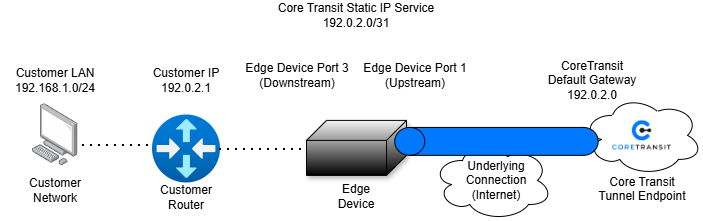
The Core Transit Edge Device provides a simple Layer 2 connection between your network and the Core Transit network. Rather than acting as your router or default gateway, the Edge Device transparently extends your connection back to the Core Transit infrastructure, where your Layer 3 interface and default gateway reside.
The Edge Device is shipped preconfigured for your service. No configuration changes are required unless instructed by Core Transit Support.
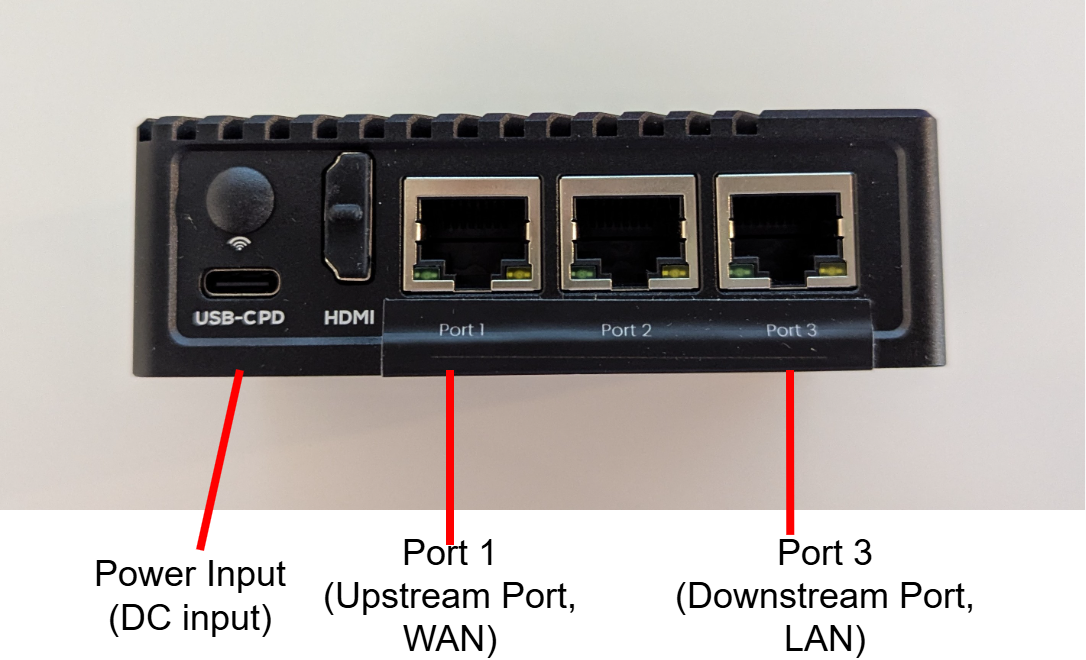
This guide identifies each connector, port, and indicator on the Edge Device, explains how each interface is used, and aims to simplify the installation process so your service can be connected correctly.
Study the following diagram to understand the flow of traffic:
Initial Connection Procedure
- Connect the Internet service provider (ISP) Ethernet handoff to the WAN interface on the Edge Device. (Port 1)
- Connect the LAN interface (Port3) to the customer switch or network device, as appropriate.
- Connect the supplied power adapter to the Edge Device and verify that the power LED illuminates.
- Allow the Edge Device to complete its startup sequence.
- Verify that the appropriate interface LEDs indicate link and activity.
- Access the management interface using the configured management IP address or Big Network Portal.
- Authenticate using the credentials provided by Core Transit.
Provisioning Details
Upon activation of your Core Transit Static IP Anywhere service, Core Transit will provide a Service Provisioning Details document. This document serves as the authoritative reference for the network configuration assigned to your service.
The Service Provisioning Details document contains the network parameters assigned specifically to your service. Keep this document available, as the information it contains will be referenced during installation and future support requests.
The document will contain the following information:
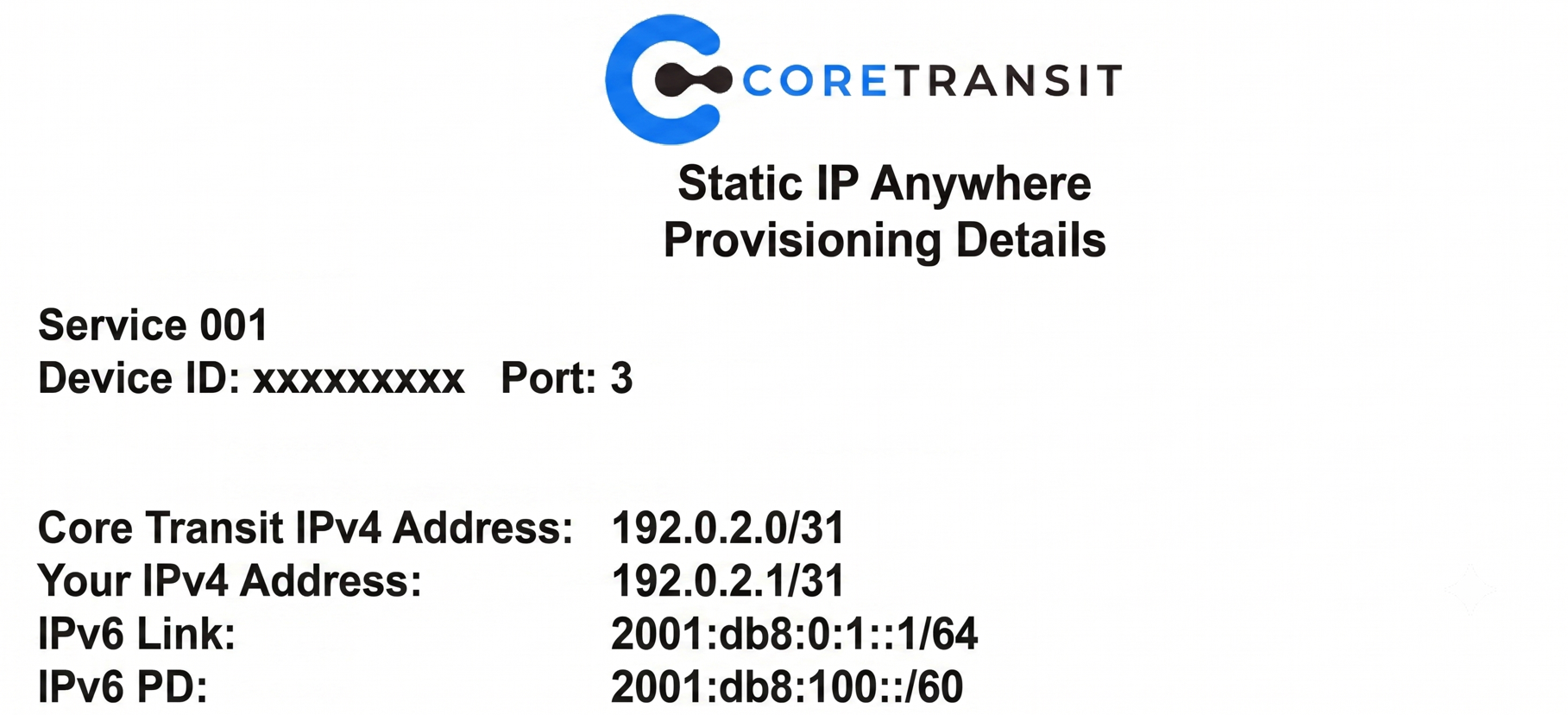
Below is a brief summary of each detail:
Service ID- A unique identifier for your Core Transit service. Reference this number when contacting Core Transit Support.
Device ID- The unique identifier assigned to your Edge Device.
Port- The physical switch port on the Core Transit network associated with your service.
Core Transit IPv4 Address- The Layer 3 interface located on the Core Transit network. This address acts as the network gateway for your point-to-point connection.
Your IPv4 Address- The IPv4 address assigned specifically to your service. This address represents your side of the point-to-point connection.
IPv6 Link- The IPv6 point-to-point addressing used between your Edge Device connection and the Core Transit network.
IPv6 Prefix Delegation (PD)- The IPv6 subnet assigned to your service for use within your network.
This guide uses documentation IP addresses for demonstration purposes. These addresses are examples only and should not be used when configuring your environment. Refer to your Service Provisioning Details document for your assigned network information.


